An AI candidate conversion platform is software that reaches out to people who have already shown interest in your jobs, usually within minutes, by voice or text. It asks screening questions, applies your qualification rules, books interviews, and saves the results to your applicant tracking system (ATS), which stays the official record for every candidate.
If you have applicants waiting on a first call and recruiters stretched across many screens and schedules, this guide is for you. We will walk through how these platforms work, how they fit alongside your ATS, CRM and sourcing tools, and what to ask before you buy.
What Is an AI Candidate Conversion Platform?
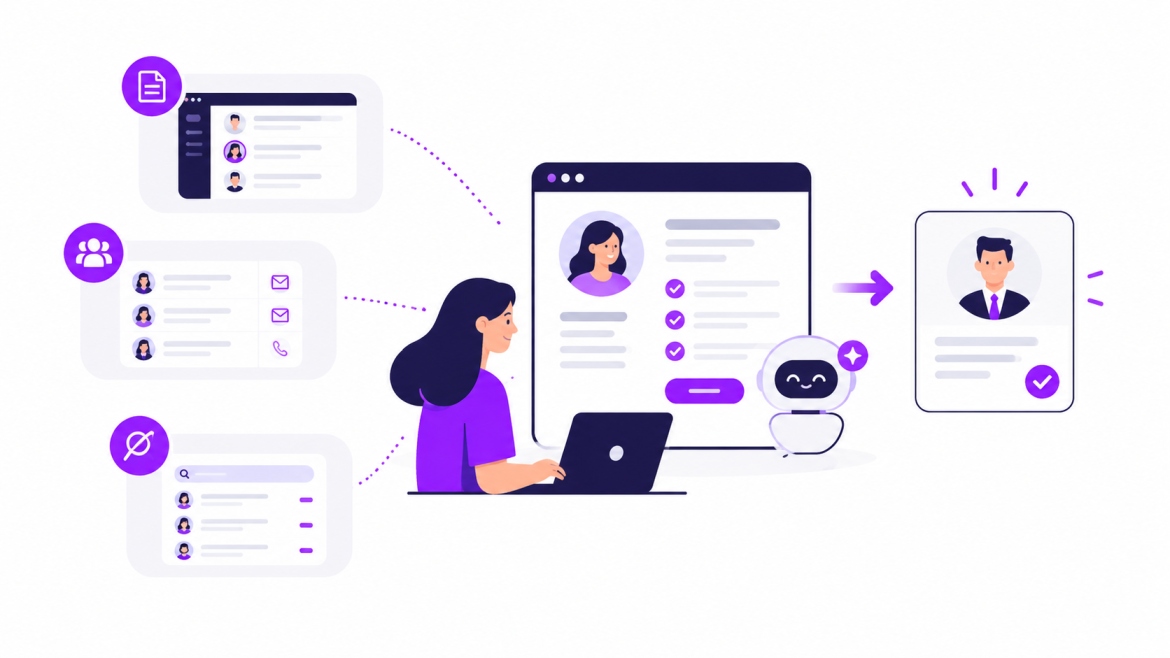
A candidate conversion platform turns existing interest into scheduled interviews. It starts conversations by voice or text, checks each answer against rules you set, books time on your recruiters' calendars, and sends everything back to your ATS.
The AI handles the conversation: understanding replies, answering common job questions, and summarizing each screen for your recruiter. The rules it follows are yours.
"Conversion" here means moving someone through four steps you can measure:
- Replied. The candidate answers the first call or text.
- Completed screen. They finish your screening questions.
- Interview scheduled. They pick a time.
- Showed up. They attend the interview.
Your conversion rate at any step is the share of people who made it from the step before. Some teams extend this to offer and start date, but these four are the steps the platform touches directly.
The platform works on interest that already exists: applicants, career site visitors who started applying, older database records, and sourced leads who replied. Finding new people is the job of your job ads and sourcing tools, so those pair well with it.
How an AI Candidate Conversion Platform Works
Follow one candidate and the process makes sense. We will call her Maria. She finishes a shift, gets home, and applies for a medical assistant job at a staffing firm from her phone. It is 9:12 pm on a Tuesday.
Here is what happens next, step by step, and what you control at each one.
| Step | What happens to Maria | What you set |
|---|---|---|
| 1. Trigger | Her application lands in your ATS and the platform picks it up. | Which job types and sources start a conversation, and who is excluded, such as current employees. |
| 2. First contact | Within minutes, she gets a text, or a call if your settings allow evening calls. The message says it is an automated assistant and that she can ask for a person at any time. | Channel order, call hours by time zone, and the opening message. |
| 3. Screening | She answers a few questions about her certification, shift availability and pay expectations. | The questions, and which ones are knockouts. A knockout is an answer that decides whether someone moves forward, like holding a required license. |
| 4. Qualification and routing | The platform checks her answers against your rules and sorts her into one of three paths: qualified, not qualified, or needs a person. Maria is qualified. | The must-haves for each role, what sends someone to a person, which recruiter receives them, and how quickly that recruiter should follow up. |
| 5. Scheduling | She sees open interview times from the recruiter's calendar and picks Thursday at 10 am. She gets a confirmation and reminders. | Whose calendars are used, interview length and reminder timing. |
| 6. Handoff to your ATS | Her answers, a summary or transcript, and the interview time are saved to her record. The next morning, the recruiter sees a screened candidate with a booked interview. | Which fields are saved and which statuses change. |
When a candidate follows a different path
Not every candidate will move through the steps exactly like Maria. Here is what a well-set-up platform does in each case:
| Situation | What should happen |
|---|---|
| No answer | It retries on a schedule you choose, for example a call, a text a few minutes later, then one more try the next morning. After that, it tags the record for a recruiter. |
| Wrong number | It pauses contact on that number, marks it for review, tries email if you have one, and flags the record. |
| A question it cannot answer | It tells the candidate a recruiter will follow up, logs the question, and continues the screen if it can. |
| A request for a person | It hands off right away and passes along the conversation so the candidate does not have to repeat themselves. |
What you need in place before you start
- Access to your ATS through an integration or API
- Written qualification criteria for each role type
- A named person who handles escalations
- Consent and opt-out wording for texts and calls
- Recruiter calendars connected
How It Differs From an ATS, a CRM, a Sourcing Tool, and a Chatbot
You probably use several of these tools already. Each has its own job, and a conversion platform adds the one most stacks leave to recruiters: following up with every interested candidate until an interview is booked.
| Tool | Main job | Funnel stage | Triggered by | Works on | Success metric | Relationship to a conversion platform |
|---|---|---|---|---|---|---|
| ATS | Records applications | After applying | An application | Active applicants | Time to fill | Stays the official record. The platform feeds it. |
| Recruiting CRM | Keeps talent pools warm | Before and after applying | A campaign | Past and passive candidates | Reply rate | Builds relationships. The platform handles live conversations. |
| Sourcing tool | Finds new people | Top of funnel | A recruiter search | People who have not applied | Profiles found, replies | Hands over leads. The platform takes them to interview. |
| Chatbot | Answers questions | Career site, apply | A visitor starting a chat | Visitors | Chats completed | Can be one channel inside the platform. |
| Engagement or scheduling tool | Reminders and booking | Late funnel | A stage change | Screened candidates | Show-up rate | Often one feature of the platform. |
| Career-site platform | Attracts and guides visitors | Before applying | A site visit | Visitors | Visit-to-apply rate | Gets people to apply. The platform follows up. |
Here is when to use each tool and how a conversion platform pairs with it:
ATS. Use it for one official record of every application. A conversion platform handles outreach and screening before the record reaches it.
Recruiting CRM (candidate relationship management). Use it to keep people warm over months. A conversion platform adds fast, live conversations once someone is ready to talk.
Sourcing tool. Use it to find people who have not applied. A conversion platform picks up from there and moves interested people toward an interview.
Chatbot. Use it for quick answers about pay, location or benefits. A conversion platform can also start the conversation itself by call or text.
Engagement or scheduling tool. Use it when interviews are hard to book or candidates need reminders. A conversion platform adds screening before the scheduling step.
Career-site platform. Use it to get more visitors to apply. A conversion platform continues the experience after they submit.
Now go back to Maria at 9:12 pm. A job board helped her find the role. Your ATS saved her application. Your sourcing tool was not involved, because she found you on her own. The conversion platform is the step that starts a conversation with her that same evening.
Where the overlap is real. Some ATS, CRM and chatbot products now offer texting or scheduling. That is useful, and it also means the category label will not settle the question. Compare capabilities instead. Can it call as well as text? Can you write your own qualification rules? Does it save results to your ATS? If a tool you already use covers all three, you may be well served already.
Reasons Your Business Needs an AI Candidate Conversion Platform
Each reason below is an opportunity somewhere in your funnel. Check your own numbers first, then decide which ones matter most to you.
1. Faster first response, especially after hours
Candidates often apply to several jobs in one sitting. Being the first employer to respond gives you a real advantage, and many people apply in the evening, like Maria did.
Check it: Pull 30 days of applications. Compare submit time with first contact time, and note how many arrived outside working hours.
What changes: First contact happens within minutes instead of the next working day.
Watch: The median time to first contact (the middle value, so a few unusual cases do not distort it).
2. Smoother movement between stages
Candidates often say yes at one step and need a nudge before the next. They start a screen and get busy, or plan to pick an interview time and forget.
Check it: Count how many people have sat in one stage for more than a week with no change.
What changes: Automatic follow-ups, and a clear next step in every message.
Watch: The share of candidates who move from each step to the next.
3. More recruiter time for conversations that matter
Many first calls wrap up quickly once it becomes clear the candidate is not available for nights or does not hold the required license. These calls are necessary, and they are also repetitive.
Check it: Track how many hours one recruiter spends on first screens in a week, and how many of those calls end in a knockout answer.
What changes: The platform asks the standard questions, and qualified people reach a recruiter.
Watch: Recruiter hours per qualified candidate.
4. Reconnecting with past candidates
Your ATS likely holds someone who interviewed well last year, when you had no opening. If you have one today, they could be a strong fit.
Check it: Count qualified candidates with no activity in the past 12 months.
What changes: When a similar role opens, the platform can ask matching people if they are still interested. Make sure you have permission to contact them first.
Watch: Replies and interviews booked from older records.
5. Consistent screening across the team
Every recruiter has their own style. One asks about shift availability first, another covers it later in the call.
Check it: Compare how two recruiters screened their last ten candidates for the same role.
What changes: Every candidate gets the same questions and the same rules, and people still make the final call.
Watch: How many candidates pass the screen but do not move forward after the interview. A high number is a useful signal to refine your rules.
6. Simpler scheduling
Three emails to find one interview time is common, and each email adds a little friction for the candidate.
Check it: Count the messages between "qualified" and "interview booked" for ten candidates.
What changes: The candidate sees open slots, picks one, and gets reminders.
Watch: Days from qualified to scheduled, and the show-up rate.
A worked example. To find your biggest opportunity, count how many candidates reach each step, then divide by the number at the step before. The numbers below are examples, not benchmarks.
| Step | Candidates | Share of the step before |
|---|---|---|
| Applied | 1,000 | Not applicable |
| Replied | 400 | 40% |
| Completed screen | 280 | 70% |
| Interview scheduled | 168 | 60% |
| Showed up | 126 | 75% |
Overall, 126 of 1,000 applicants showed up, a conversion rate of 12.6%. That one number hides the story. The biggest opportunity sits at the first step, where 6 in 10 applicants did not reply. Every later step depends on that first reply, so a small gain there carries through the whole funnel. Start with the biggest opportunity, change one thing at a time, and measure again after a few weeks.
When it may be too early. If you receive only a handful of applicants a week, if no one has time to own the workflow, or if you have not yet written down who qualifies, a conversion platform can wait. A good first step is writing down the must-haves for your top three roles. That work will make any future setup smoother.
Key Features to Look For While Buying an AI Candidate Conversion Platform
A demo is the best time to see how a platform handles real situations: a candidate who does not answer, a rule you want to change, a record that needs to sync. Use these questions to explore each one.
1. Speed to contact
Why it matters: The first reply drives every step after it, so you want to control when calls and texts go out.
Ask in the demo: "What is the usual delay between application and first contact? Can I set call hours by time zone? Show me what happens to an application that arrives at 9:12 pm."
2. Voice and text channels
Why it matters: Some people prefer a quick text, and others prefer a call.
Ask in the demo: "What happens when a candidate does not answer? How many retries, on which channel, and when does it stop?"
3. Qualification rules
Why it matters: Your roles and requirements will change over time, so it helps if your team can update rules directly.
Ask in the demo: "Can I edit questions and knockout rules myself? Show me how long a change takes."
4. Human handoff
Why it matters: Some candidates prefer to speak with a person, and a smooth handoff keeps the experience positive.
Ask in the demo: "How does a candidate reach a person? Who is notified, and what do they see?"
5. ATS write-back
Why it matters: Write-back means the platform saves answers, transcripts and statuses to the candidate record in your ATS, so your team has everything in one place.
Ask in the demo: "Where do transcripts, answers and statuses land in my ATS? Show me a live record."
6. Consent and disclosure
Why it matters: Texting and calling candidates is regulated, and the rules differ by country and state. Some places expect you to tell people when they are speaking with an AI. This is general information, not legal advice, so confirm the requirements with your own legal team.
Ask in the demo: "How do you handle text opt-in and opt-out? How does a candidate know they are talking to an AI?"
7. Bias and audit controls
Why it matters: A clear record of how each candidate was screened supports fair, consistent hiring.
Ask in the demo: "Can I review how each candidate was screened? Does the vendor publish audit results?"
8. Reporting
Why it matters: Clear numbers show you where to focus next.
Ask in the demo: "Can I see drop-off by stage and by role, and export it?"
9. Bot protection and language support (only if they apply to you)
Why it matters: High-volume postings can attract automated applications, and some candidates prefer another language.
Ask in the demo: "How do you identify automated applications before spending calls on them? Which languages work for voice, not just text?"
Run a 30-day pilot before you commit
- Pick one role type with steady volume.
- Record last month's numbers for the four steps as your baseline.
- Run the platform on part of the volume, such as one location or half of new applicants, and keep the rest as it is.
- After 30 days, compare the same four steps for both groups.
- Decide using the numbers, and write down any rule changes you made along the way.
Common Misconceptions About AI Candidate Conversion Platforms
A few questions come up again and again when teams first explore this category. These are the five worth clearing up.
Myth: "It's just a chatbot."
What is true: A chatbot answers questions when a candidate starts a chat. A conversion platform starts the conversation, screens against your rules, books the interview and saves results to your ATS.
What to do: In a demo, ask to see all three: qualification rules, scheduling and a live ATS record.
Myth: "It replaces my ATS."
What is true: It works alongside your ATS, which remains the system of record. The platform passes information back and forth.
What to do: Ask exactly which ATS fields it reads and which it writes to.
Myth: "It finds me new candidates."
What is true: It works on interest that already exists. Finding new candidates is the job of your job ads and sourcing tools. Some vendors, Curately included, offer sourcing too, but that is a separate step from conversion.
What to do: Build your pipeline first, then use the platform to get more from the people you already have.
Myth: "It replaces recruiters."
What is true: It takes over repetitive contact steps like first calls, follow-ups and scheduling. People still write the criteria, handle exceptions and make hiring decisions.
What to do: Name an owner for the rules, and decide in advance what should always go to a person.
Myth: "It only works for hourly hiring."
What is true: It is easiest to see in high-volume, hourly roles, where screening questions follow a clear pattern. Staffing firms and teams re-engaging older records use it too. It suits roles where the first conversation covers a clear set of questions.
What to do: Test it on one role type before rolling it out wider.
One more point on candidate experience. Candidates applying for senior roles, and those in sensitive situations, should be able to reach a person quickly. A good setup makes that easy.
How Curately Approaches Candidate Conversion
Curately was built around a simple idea: hiring rarely slows down at "find." It slows down in the follow-through, when candidates need a reply, a screen and an interview time. That is why its platform is organized as find, engage and convert, with every step sharing the same candidate record. This article focuses on the engage and convert steps.
Conversations that start on their own. The Voice AI Recruiter handles outreach, screening, FAQs and follow-ups, while Candidate Conversations keeps two-way chats across SMS, email and chat tied to the same candidate record. A candidate like Maria gets a response the same evening, and your recruiter sees the full conversation the next morning.
You stay in control. Qualification and Routing sorts candidates using criteria you define, and Scheduling books interviews with calendar sync and reminders. Your team sets the qualification criteria, messaging boundaries and escalation paths, and people make every hiring decision. Curately's own phrase for this is "Autonomous where it helps. Human where it matters."
Built to sit beside your ATS. Curately works alongside the systems you already use instead of asking you to replace them. Its platform page lists integrations with JobDiva, Tracker, Avionté, LaborEdge, Beeline, SAP Fieldglass, Greenhouse, Ashby, Teamtailor and Checkr. Because setups differ, ask to see a live candidate record during your demo so you know exactly what gets saved.
A team that has seen it work. Evan Zmarthie, Operations Manager at The Nurse Connection Staffing, shares: "Before, candidates might sit for 15 to 72 hours before we got to them. With Curately, now they're getting a call within about a minute, and that alone helped us reach about 10% more applicants." This is customer-reported, and results vary by workflow and volume.
Where it shines. Curately's solution pages cover staffing firms, direct sourcing, enterprise talent acquisition, high-volume hiring and lean recruiting teams. It works especially well for teams with steady applicant or database volume, clear qualification criteria and someone to own the rules. Setup follows four simple steps: define your workflow and success metrics, set your rules, connect your ATS and calendars, then launch and measure.
An easy way to start. You do not need the whole platform on day one. Many teams begin with one role type, run the 30-day pilot described above, and expand once they see the numbers. If you would like to see how it would work with your ATS and your roles, you can book a demo.
Conclusion
A candidate conversion platform has one job: turning interest into interviews that people attend. It fits best when you want every applicant and database record to get a fast, consistent follow-up. Before you buy, check that it applies your own rules, hands off to a person, and saves results to your ATS.
You can start today without any software. Pull 30 days of applications and measure how long first contact took and where candidates dropped off.
If you want to see how this works with your ATS, you can book a demo with Curately.
FAQ
What is an AI candidate conversion platform?
It is software that turns candidate interest into scheduled interviews. It contacts applicants by voice or text, runs your screening questions, and books the interview. It tracks four steps: reply, completed screen, scheduled interview and show-up.
Is it the same as an ATS?
No. An ATS stores applications and manages your hiring process. A conversion platform handles the outreach, screening and scheduling around it, then sends the results back to the ATS.
How do I improve candidate conversion rates?
Start by measuring how many candidates move from each step to the next. Then focus on the biggest drop first, which is often the wait before first contact or the back and forth around scheduling. Change one thing at a time so you can see what worked.
Do I need one if I already have a chatbot?
It depends on what your chatbot covers. Check whether it can start conversations by call or text, apply your qualification rules, book interviews and save results to your ATS. If it does all four, you may already be covered.
Can it work with my existing ATS?
Usually, through a direct integration or an API. The key question is which fields it saves back, such as answers, transcripts and statuses, so ask to see a live record before you sign.
Does it replace recruiters?
No. It handles repetitive contact steps like first calls, reminders and scheduling. Recruiters still set the criteria, handle exceptions and make the hiring decisions.