
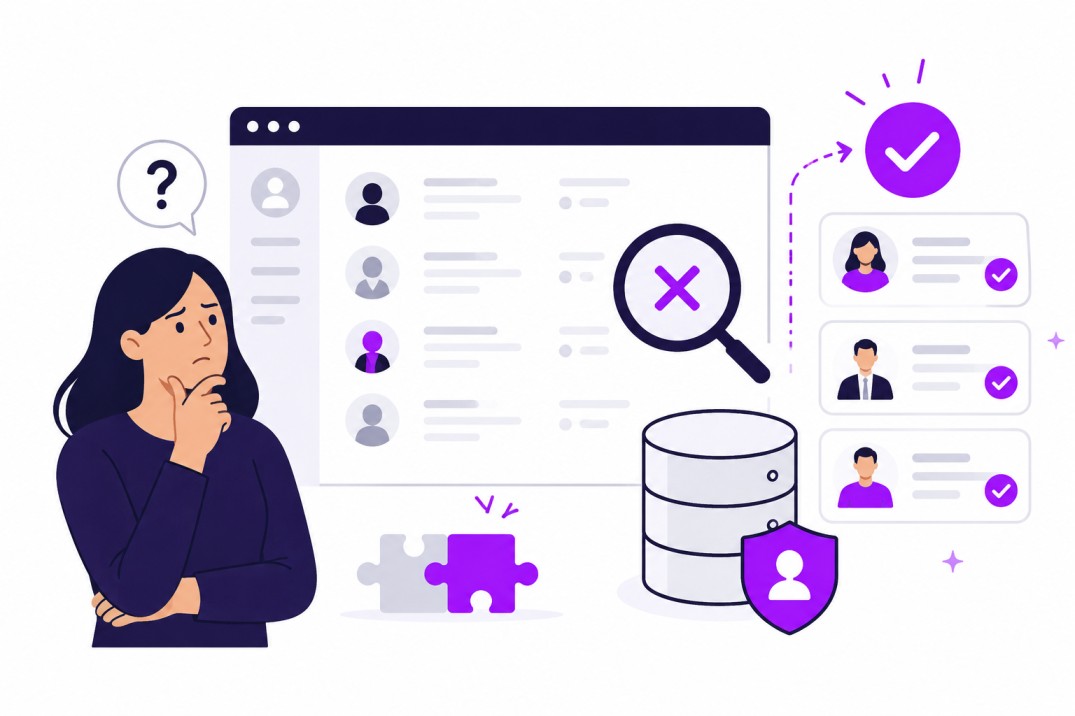
You have a role open right now. Somewhere in the back of your mind, you're almost sure you screened someone like this before. Maybe it was three months ago. Maybe it was for a different client, or a similar req that never quite worked out.
So you open your ATS and search for them.
You get a wall of results that don't match, or worse, nothing at all. You try a different keyword. Still nothing useful. After the second or third dead end, you do what almost every recruiter ends up doing at this point. You close the ATS and open LinkedIn instead.
If that sounds familiar, you're not doing anything wrong. This happens on Bullhorn desks, JobDiva desks, Avionté desks, and LaborEdge desks every single day, at agencies that are otherwise very good at their jobs. It's one of the most common problems in recruiting, and one of the least talked about, mostly because it feels like a personal failure ("I should remember who that was") rather than what it actually is: a tooling problem.
What follows goes past the usual "clean up your data" advice, which sounds reasonable but rarely solves anything, because the real issue sits one level deeper than messy records. Below, we'll walk through why your ATS search behaves this way, what it's actually costing your team in hours and placements, and what genuinely fixes it, using the system you already know.
Why Your ATS Cannot Find Candidates You Already Have
Say you're staffing a hospital client and the req calls for an ICU nurse. You search your ATS for "ICU." Nothing comes up for a nurse who is sitting right there in your database, fully qualified, because her profile lists her unit as "critical care" instead. Same job. Same skills. Different word.
This happens by design. It's how most ATS search bars are built to work. They look for records that contain the exact word or phrase you typed, or something very close to it. If the word on the candidate's profile doesn't match the word in your search box, the system has no way of knowing the two mean the same thing.
Platforms like Bullhorn, JobDiva, Avionté, and LaborEdge are excellent at what they were originally built to do: move a candidate through a pipeline, from applied to screened to submitted to placed, and keep a clean record of where everyone stands. Their fields, workflows, and reports are all designed around tracking status. Searching free text for meaning was never really the job they were built for.
That's worth sitting with, because it changes where you should look for a fix. A messy database gets fixed with better data entry. This is different: the real driver is that the search sitting on top of your data can only match words, not meaning, whether a recruiter typed "critical care" or "ICU." That makes it an architecture issue rather than a housekeeping one, which is exactly why the two fixes most teams reach for next, cleaning up the data or switching platforms, only go so far on their own. It's the same gap that separates AI sourcing from manual sourcing: one reads for meaning, the other matches strings.
What A Broken Candidate Database Actually Costs Your Team
It's easy to wave this off as a bit of wasted time here and there. It adds up faster than that.
Here's a simple way to see it for your own team. Take the number of recruiters on your desk, multiply it by the hours each one spends re-sourcing candidates who may already be sitting in your ATS, multiply that by what an hour of their time actually costs you (salary, benefits, and overhead, not just base pay), then multiply by 52 weeks.
Recruiters × hours spent re-sourcing per week × loaded hourly cost × 52 weeks = what redundant sourcing costs you every year
Let's run it with round numbers so you can swap in your own. A 10-recruiter desk, where each recruiter conservatively spends 4 hours a week re-sourcing candidates for roles a working database search could have surfaced, at a loaded hourly cost of $40, comes out to:
10 × 4 × $40 × 52 = $83,200 a year
That's before counting job board fees, sourcing tool subscriptions, or the LinkedIn Recruiter seats your team pays for to re-find people you already found once.
For a staffing desk specifically, there's a second cost that matters even more than the hours. Speed is how you win the req in the first place. If a competing agency can hand their client three strong names within the hour, and it takes your team three days to build a shortlist because you're sourcing from zero, you don't just lose that afternoon. You lose the requisition. The client moves on with whoever got there first, and getting there first is the only thing that keeps a req like that in play.
Five Signs Your Candidate Database Has Become A Graveyard
Here are five ways to tell, in under a minute each, whether your database has quietly turned into a graveyard instead of a working sourcing channel.
-
You can't find your own success stories. Pick a role you filled two months ago. Type the actual skill words from the winning candidate's resume, not the job title, into your ATS search bar. If the person you placed doesn't show up on the first page, your database can't even locate a hire it already made. Every future search for someone similar will miss them too.
-
"I know we placed someone like this" turns into a full re-source anyway. Almost every recruiting team has this moment in a pipeline meeting. Someone's sure they've seen a candidate like this before. Next time it happens, time how long it takes to actually locate that person. If it takes more than a couple of minutes, or the team gives up and posts the job externally instead, you're paying twice for a candidate you already found once.
-
Silver medalists disappear the moment a req closes. The person who came in second for a role last quarter is often a strong fit for a similar role today. Pick your last closed req that had at least two solid finalists. Can you pull up the runner-up, along with a note on why they weren't selected, in under a minute? If not, that candidate has effectively vanished, even though they're still in your system. This is exactly the failure mode good talent pipeline management is supposed to prevent.
-
The real context lives in your recruiter's head, not in the ATS. The most useful details about a candidate (they only want night shifts, they're relocating in three months, they turned down the last offer over pay) usually end up in a free-text notes field, or nowhere at all. Ask yourself: if that recruiter left tomorrow, could someone else run their desk using only what's recorded in the system? If the honest answer is no, that knowledge leaves with them.
-
You keep buying new sourcing tools instead of using what you already paid for. Count how many sourcing subscriptions your team currently pays for. Now think about how often anyone actually searches the candidates already sitting in your ATS, people you already sourced, screened, and in many cases interviewed, before opening one of those tools to start a brand new search.
Each of these is fixable, and the fix that actually works changes the system itself, not how much effort recruiters put into data entry next quarter. That brings us to the fix most teams reach for next, and why it usually disappoints.
Why Migrating Your ATS Won't Fix This
At some point, someone on the team suggests it. "Maybe we just need a new ATS." It's an understandable reaction. If the current system feels broken, replacing it feels like progress.
Here's the problem. A full ATS migration for a staffing firm or TA team is rarely a quick project. Between exporting historical data, rebuilding workflows, training the team on a new interface, and running both systems in parallel while everyone adjusts, most migrations realistically take somewhere between six months and a year to fully settle. That's a long time to operate at reduced speed for a problem migration may not even solve.
Here's the part that's easy to miss going in: most modern ATS platforms, including the newer ones, are still built around the same core idea as the one you have now. They track candidates through a pipeline and search structured fields for matching keywords. Once your new database grows past a few thousand candidates, you'll likely hit the exact same wall you're hitting today, just on a different login screen.
Your ATS may still be worth reconsidering someday, and that's a separate decision. The fix for this specific problem is a better way to search the filing cabinet you already have, not a different filing cabinet. A layer that adds meaning-based search on top of your existing Bullhorn, JobDiva, Avionté, or LaborEdge setup solves the actual problem, search, while leaving everything else that already works exactly as it is.
To be fair, there's one situation where migration genuinely has to come first: if your current ATS has no API and no way to connect other tools or export your data at all, you may not have a choice but to move before anything else can help. For most agencies running one of the major platforms today, that's not the situation you're in. The data is there and reachable. It just isn't searchable the way you need it to be. You can check whether your system is already on the list of supported ATS and VMS integrations.
How To Tell If A Tool Actually Searches By Meaning Or Just Filters Keywords Faster
Once you start looking at tools that promise to fix this, you'll notice almost all of them use the word "AI" somewhere on the homepage. Not all of them mean the same thing by it. Here's a simple test you can run on any tool, including ones you already have access to, before you trust it with a real req.
Pick a candidate profile you know well. Run two searches that describe the same person in different words. For a healthcare desk, try "ICU nurse, licensed in Texas, available within two weeks," then separately "critical care RN, Texas license, open to start soon." For a light industrial desk, try "forklift certified," then "material handling associate with heavy equipment experience."
A tool that genuinely understands meaning should return largely the same group of people for both searches, because both phrases describe the same experience. A tool that's only matching keywords will give you two different, noticeably smaller lists, because the exact words don't line up.
While you're testing, watch for three signs that a tool is doing keyword matching with a nicer coat of paint on top:
It asks you to build tags or categories before it can search anything. Real meaning-based search reads the resume, notes, and history that already exist. It shouldn't need you to pre-label your entire database first.
It only performs well when you use the exact job title from the original posting. That's a strong sign it's still matching words, not understanding the role.
It hands you a ranked list with no explanation for why each person made the cut. If you can't see the reasoning, you can't trust the shortlist under time pressure, and you won't be able to explain it to a hiring manager or client either.
Run this test before you commit to anything. It takes five minutes and tells you more than any product page will.
How Curately Makes Your Existing ATS Actually Searchable
This is exactly the gap Curately's AI Match and rediscovery tools were built to close, and it's worth walking through in plain terms rather than just naming features.
Curately connects directly to the ATS you're already running, including Bullhorn, JobDiva, Avionté, LaborEdge, and a long list of others, without asking you to move your data anywhere or change how your recruiters log in every day. Once it's connected, it re-indexes the candidates already sitting in your system so that search stops relying on exact keyword matches and starts working off what a candidate has actually done.
Run the same test from the section above through Curately's AI Match, and here's the difference you'd see. Type in "ICU nurse, licensed in Texas, available within two weeks," and it reads through resumes, screening notes, and profile history for meaning, the same way an experienced recruiter would. A candidate whose profile only says "critical care unit" or "med-surg with ICU float coverage" still surfaces, ranked by how closely they actually fit, instead of sitting buried on page nine or missing from the results entirely.
Curately sits on top of the ATS your recruiters already know, keeping the day-to-day workflow the same, with no platform switch and no retraining on a new interface. What changes is what happens when someone searches it. You can see how the rest of the Curately platform fits around that search layer.
This is also the part of the platform customers tend to bring up first when they talk about what actually shifted for their team. Lourdes Perez-Castillo, Senior Manager of Direct Sourcing Operations at AgileOne, put it this way:
"Curately has completely changed how we deliver results as a team. What used to take hours of manual sourcing, screening, and follow-up is now streamlined through AI-powered search and automated journeys that actually work. We're able to find the right talent faster, but more importantly, we're able to keep them engaged instead of starting from zero every time a new req opens."
That last line is really the whole point of this article. Starting from zero on every req is expensive, slow, and avoidable. A candidate database that can actually be searched is what makes it possible to stop.
What Changes For Your Team In The First 30 Days
Here's what a realistic first month looks like, broken down so it feels concrete instead of theoretical.
Week 1: Connect your ATS and run your first search against a role you have open right now, using plain language for what you actually need rather than a Boolean string. Compare what comes back to what a normal keyword search in your ATS would have shown you for the same req. Most teams find at least a few candidates in that first search who were sitting in the database the whole time.
Weeks 2 through 4: Start tracking one number for every new req: did the eventual candidate come from your own database, or from outside sourcing? This single metric, the share of placements sourced internally versus externally, tells you whether this is actually working, rather than relying on a general feeling that things seem better.
Remember the formula from earlier? Ten recruiters, four hours a week each on redundant sourcing, adding up to roughly $83,200 a year for a mid-sized desk. This is where you start watching that number move in the other direction, as hours that used to go into re-sourcing candidates you already had get spent on new outreach and client conversations instead.
One honest note here. If your database has been neglected for a long time, with very little captured in structured fields and most of the useful detail buried in old notes or nowhere at all, your first searches may return less than you'd hope. That comes down to the data going in, since any system can only surface what was actually captured in the first place. It gets noticeably better the more your team uses it.
Frequently Asked Questions
Why can't my ATS search my own candidate database? Most ATS platforms were built to track candidates moving through a hiring pipeline, not to search free text for meaning. Their search tools look for exact or near-exact keyword matches inside structured fields, so a candidate described in slightly different words than what you typed simply won't appear, even if they're a strong fit. This is a limitation in how the search itself works, not necessarily a sign that your records are disorganized.
Are there AI tools that search an existing ATS database using natural language instead of Boolean? Yes. These tools connect to the ATS or CRM you already use and read through resumes, notes, and candidate history to understand what someone has actually done, rather than matching exact words or requiring a Boolean string. You describe who you need in plain language, similar to how you'd describe them to a colleague, and the tool ranks your existing candidates by real fit.
Do I need to migrate to a new ATS to fix candidate database search? In most cases, no. A newer ATS built around the same keyword-based search will run into the same wall once your database grows, just under a different login. Adding a meaning-based search layer on top of the ATS you already use typically solves the actual problem faster and without months of migration and retraining.
How long does it take to see results after fixing candidate search? Many teams see something useful from their very first search, particularly for roles similar to ones they've filled before. A real, measurable shift, meaning more placements sourced from your own database instead of external channels, usually shows up over the first 30 to 60 days, as searching the database first becomes the normal habit instead of an afterthought.
What is candidate rediscovery? Candidate rediscovery means searching people already in your ATS or CRM, such as past applicants, prior placements, or strong runner-ups from previous roles, against a new opening before sourcing externally. It tends to work well because these are people your team has already screened and who already have some familiarity with your company, which usually means they move through the process faster than someone sourced from scratch.
Is it legal to keep old candidate resumes and contact information in my database? Generally yes, but with limits that depend on where your candidates are based. Regulations such as GDPR in Europe require a lawful reason for holding the data along with a defined retention period, and most US state privacy laws expect similarly reasonable limits and the ability to honor a candidate's deletion request. Retention rules are worth reviewing with your legal or compliance team rather than assuming old records can be kept indefinitely by default.
A working candidate database is about being able to actually find the people you already have, in the moment a client needs a name, not about how many records sit inside it. That's the difference between a recruiter who opens the ATS first out of habit, and one who's learned, req after req, to go straight to LinkedIn instead. If you want to see what that looks like against your own data, book a demo and run one of your open reqs through it.